Sanchar Saathi Application How It Works on Android Mobiles
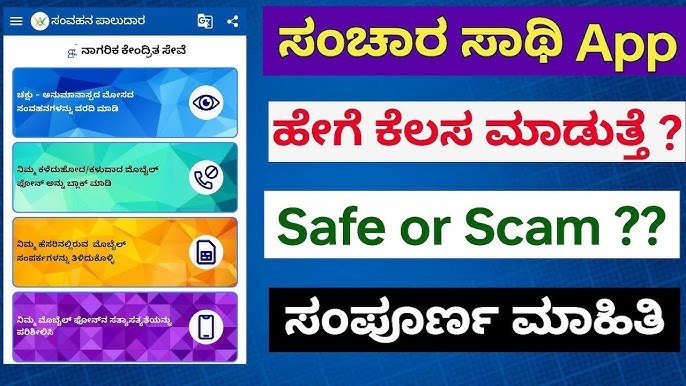
The Government of India has introduced the Sanchar Saathi application to help citizens stay safe from mobile-related frauds and protect their phones and mobile identity. It is developed by the Department of Telecommunications (DoT) and provides tools for checking unauthorized SIM cards, reporting suspicious calls, tracking stolen phones, and verifying mobile devices. The app empowers users to monitor their telecom usage and stay alert against cyber-fraud happening through calls, SMS, and messaging platforms.
How to Install Sanchar Saathi on Android
To use Sanchar Saathi on an Android phone, you need to download it from the Google Play Store. The steps are simple:
- Opening hours the Playlist Stored in app on your Phone.
- Type “Sanchar Saathi” in the search bar.
- Select the official app released by the Department of Telecommunications.
- Tap the Install button.
- Once installation completes, tap Open.
The app can be installed and removed freely. It is not mandatory to keep it on your device. The government encourages voluntary use to improve public safety against fraud.
Account Setup and Permissions
When you open Sanchar Saathi for the first time, it asks you to register your mobile number. You will receive a One-Time Password (OTP), and after entering it, your account gets created automatically. The app then asks for permissions such as:
- Access to call and SMS logs (for identifying suspicious numbers)
- Camera (for scanning IMEI barcode)
- Storage (for uploading proof if you want to file a complaint)
These permissions are required only when you use specific features. You may deny optional permissions if you do not need those features.
Important Features Available in the App
Sanchar Saathi brings several telecom-security services in one app. Some of its most useful features for Android users are listed below.
1. Check SIM Cards Registered Under Your Name
This feature shows how many mobile numbers are linked to your identity. If you notice any unknown number, you can report it for deactivation. This prevents criminals from using SIM cards issued fraudulently using your documents.
2. Verify Your Mobile Device
Before buying a new or second-hand phone, you can check its IMEI number through the app. If the phone is stolen, blocked, or cloned, the app alerts you. This prevents people from unknowingly purchasing illegal devices.
3. Block Lost or Stolen Phones
If your phone gets lost or stolen, you can request the government to block its IMEI number through this app. Once blocked, the device cannot work on any mobile network in India. This makes the phone useless to thieves and increases the chance of recovery.
4. Report Fraud Calls and Messages
The app includes a fraud-reporting section known as Chakshu. You can report scam calls, fake customer-care calls, false banking messages, or anyone trying to steal sensitive information. Reporting helps authorities catch scammers and block fraudulent numbers.
5. Awareness and Alerts
The app also shares scam-prevention tips and updates about telecom safety. It educates users on how to avoid phishing messages, OTP theft, UPI fraud, and fake SIM activation.
Why Android Users Should Use Sanchar Saathi
- Protects you from mobile scams
- Helps stop misuse of your identity
- Secures lost or stolen phones
- Keeps your telecom data transparent
- Works directly with government systems
Using the Sanchar Saathi app gives you control over your mobile identity. It acts as a digital shield against fraud and keeps your phone information safe with government-grade protection.