How to Book Gas Cylinder on Mobile in 2026 – Step-by-Step Guide
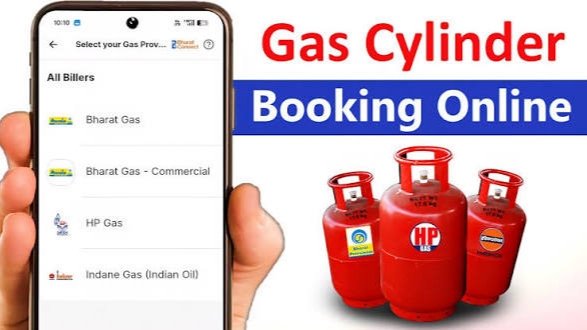
Booking an LPG gas cylinder has become very easy with the help of mobile technology. In India, people can now book their LPG refill using mobile apps, SMS, WhatsApp, or online portals. Customers of major gas companies such as Indian Oil Corporation, Bharat Petroleum, and Hindustan Petroleum can quickly book a gas cylinder from their smartphones without visiting a gas agency. This digital process saves time, provides instant confirmation, and allows users to track delivery status.
1. Book LPG Gas Using Mobile App
Most LPG companies provide official mobile apps for easy booking. Popular apps include IndianOil One, HP Gas App, and Hello BPCL. These apps are available on the Google Play Store and Apple App Store.
Steps to Book Gas Using Mobile App:
- Open the Google Play Store on your smartphone.
- Download the official LPG app based on your gas provider.
- Install and open the application.
- Register using your mobile number and LPG consumer number.
- Log in to the app dashboard.
- Click on the “Book Cylinder” option.
- Confirm your booking details and submit the request.
After successful booking, you will receive an SMS confirmation and the delivery status can be tracked within the app.
2. Book LPG Gas Through SMS
Customers can also book LPG cylinders using SMS service. This method works on any basic mobile phone.
Steps to Book Gas by SMS:
- Open the messaging app on your phone.
- Type your LPG consumer number.
- Send the message to the official LPG booking number provided by your gas company.
- Wait for the confirmation SMS.
Once the message is sent successfully, your gas refill order will be registered.
3. Book LPG Gas Through WhatsApp
Many LPG companies now offer WhatsApp booking services. This is one of the fastest and easiest methods.
Steps:
- Save your LPG company’s official WhatsApp booking number.
- Open WhatsApp and start a chat with that number.
- Type “REFILL” or follow the menu instructions.
- Confirm your LPG consumer ID.
Within seconds, you will receive a confirmation message about your gas cylinder booking.
4. Book LPG Gas Through Online Website
You can also book a cylinder through the official websites of LPG providers.
Steps:
- Visit your LPG provider’s official website.
- Login using your registered mobile number or LPG ID.
- Select Book Cylinder option.
- Confirm the refill request.
After completing the process, your gas booking request will be placed successfully.
Benefits of Booking LPG Gas on Mobile
Booking LPG gas through mobile offers many advantages. It is quick, convenient, and available 24/7. Users can track delivery status, check booking history, and receive instant alerts. Online booking also reduces the need to visit gas agencies and stand in long queues.
Conclusion
Mobile technology has made LPG gas booking simple and efficient. Whether you use a mobile app, SMS, WhatsApp, or an online website, you can easily book your gas cylinder from home. Customers of companies like Indian Oil Corporation, Bharat Petroleum, and Hindustan Petroleum can take advantage of these digital services for faster LPG refill booking and better convenience.