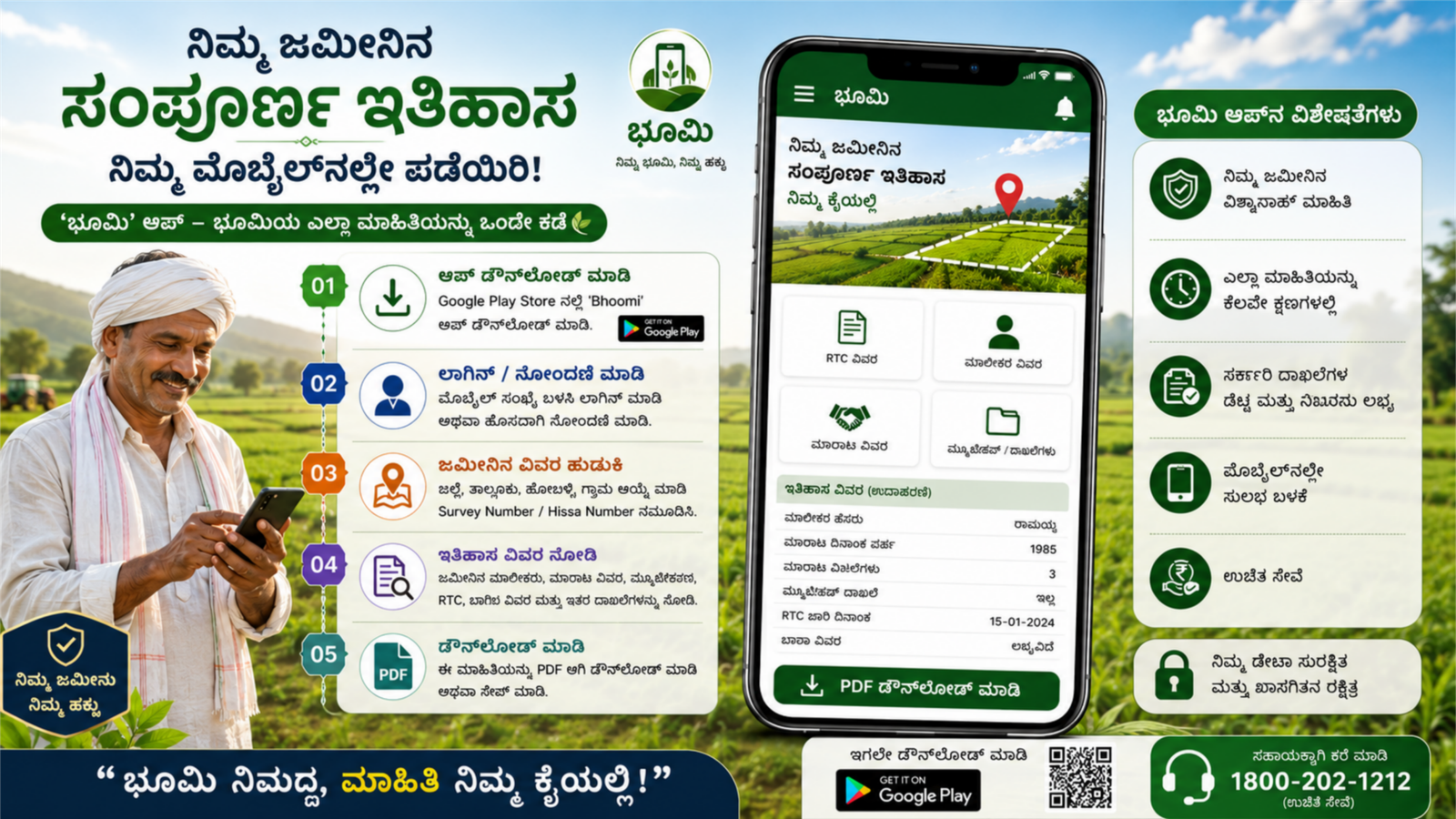
How to Get Your Land Full History on Mobile Using an App
Introduction
In today’s digital world, checking land records has become much easier than before. You no longer need to visit government offices multiple times to know the details of your land. With the help of official land record apps and portals, you can access important information such as ownership details, survey numbers, mutation records, and land history directly from your mobile phone. This process saves time, reduces paperwork, and provides quick access to verified information.
What is Land History?
Land history is a complete record of a property from the date it was registered. It includes information about previous owners, land transfers, mutations, survey details, and other legal updates. Checking land history helps buyers, sellers, and landowners verify the authenticity of a property and avoid disputes.
Information Available in Land Records
| Details | Description |
|---|---|
| Owner Name | Current registered owner of the land |
| Survey Number | Unique identification number of the land |
| Mutation Records | Details of ownership changes |
| RTC/Pahani | Rights, Tenancy, and Crop information |
| Land Area | Total size of the property |
| Village Details | Location of the land |
| Previous Transactions | Historical ownership records |
Steps to Check Land History on Mobile
1. Install the Official Land Records App
First, download the official land records application available for your state. Many state governments provide dedicated apps that allow citizens to access land information online.
2. Register or Log In
Open the app and create an account using your mobile number if required. Some services may allow direct access without registration.
3. Select Your District and Village
Choose the district, taluk, hobli, and village where the land is located. This helps the system identify the correct property records.
4. Enter Survey Number
Type the survey number or owner name associated with the land. Make sure the information entered is accurate.
5. View Land Records
After submitting the details, the app will display available records including ownership details, land extent, and mutation information.
6. Download or Save the Record
Most apps allow users to download or save land records as PDF files for future reference.
Benefits of Checking Land History Through Mobile
- Saves time and travel expenses.
- Access records anytime and anywhere.
- Helps verify ownership before purchasing land.
- Reduces dependence on manual paperwork.
- Provides transparency in property transactions.
- Easy access to updated government records.
Important Tips
- Always use official government apps or portals.
- Verify survey numbers before searching.
- Keep downloaded records safely for future use.
- Cross-check important records before buying or selling land.
- Contact local revenue authorities if discrepancies are found.
Conclusion
Getting your land’s full history on your mobile has become simple and convenient thanks to digital land record services. By using official land record apps, you can quickly access ownership details, mutation records, survey information, and other important land-related data. This digital system improves transparency and helps landowners manage their property records efficiently. Before making any property transaction, checking the complete land history is a smart step that can help avoid future legal issues and ensure a secure investment.