How to Get My Land Mutation Register (MR) in Mobile 2026
If you recently bought land or inherited property, updating your Land Mutation Register (MR) is very important. The Mutation Register records the transfer of ownership in government revenue records. In Karnataka, you can easily check and download your MR details online using the official land records portal. This guide explains the complete mobile process in simple steps.
What is Land Mutation Register (MR)?
The Mutation Register (MR) is an official revenue record that updates the name of the new owner after property transfer through sale, gift, partition, or inheritance. Mutation ensures that land tax and ownership records are correctly maintained in government databases.
Without mutation, your name will not appear in RTC (Record of Rights), and future transactions like selling or applying for loans may become difficult.
Official Website for Karnataka Land Mutation
In Karnataka, land mutation details are available through the Bhoomi Online portal managed by the Revenue Department Karnataka.
You can access this website directly from your mobile browser like Chrome or Edge.
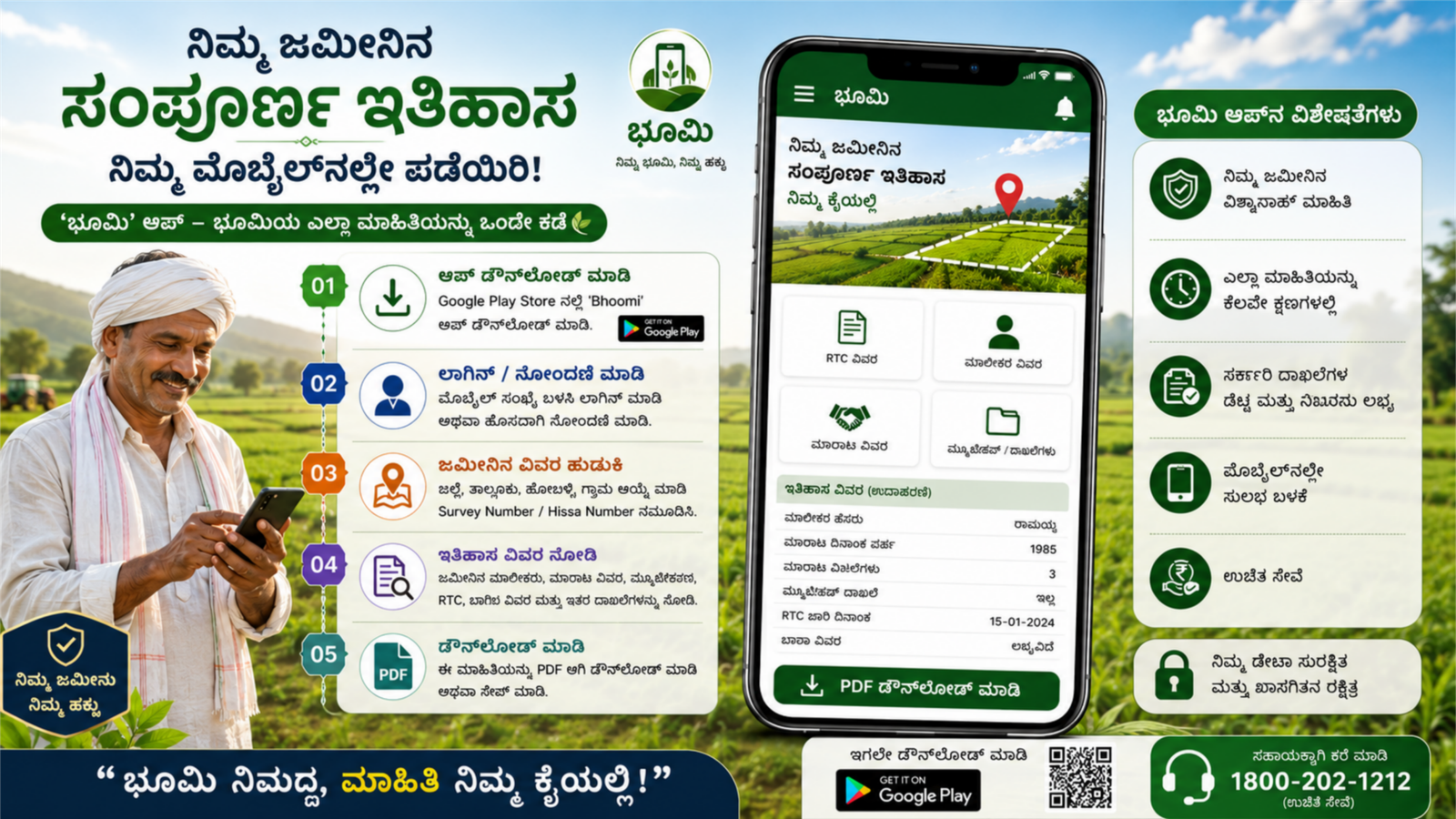
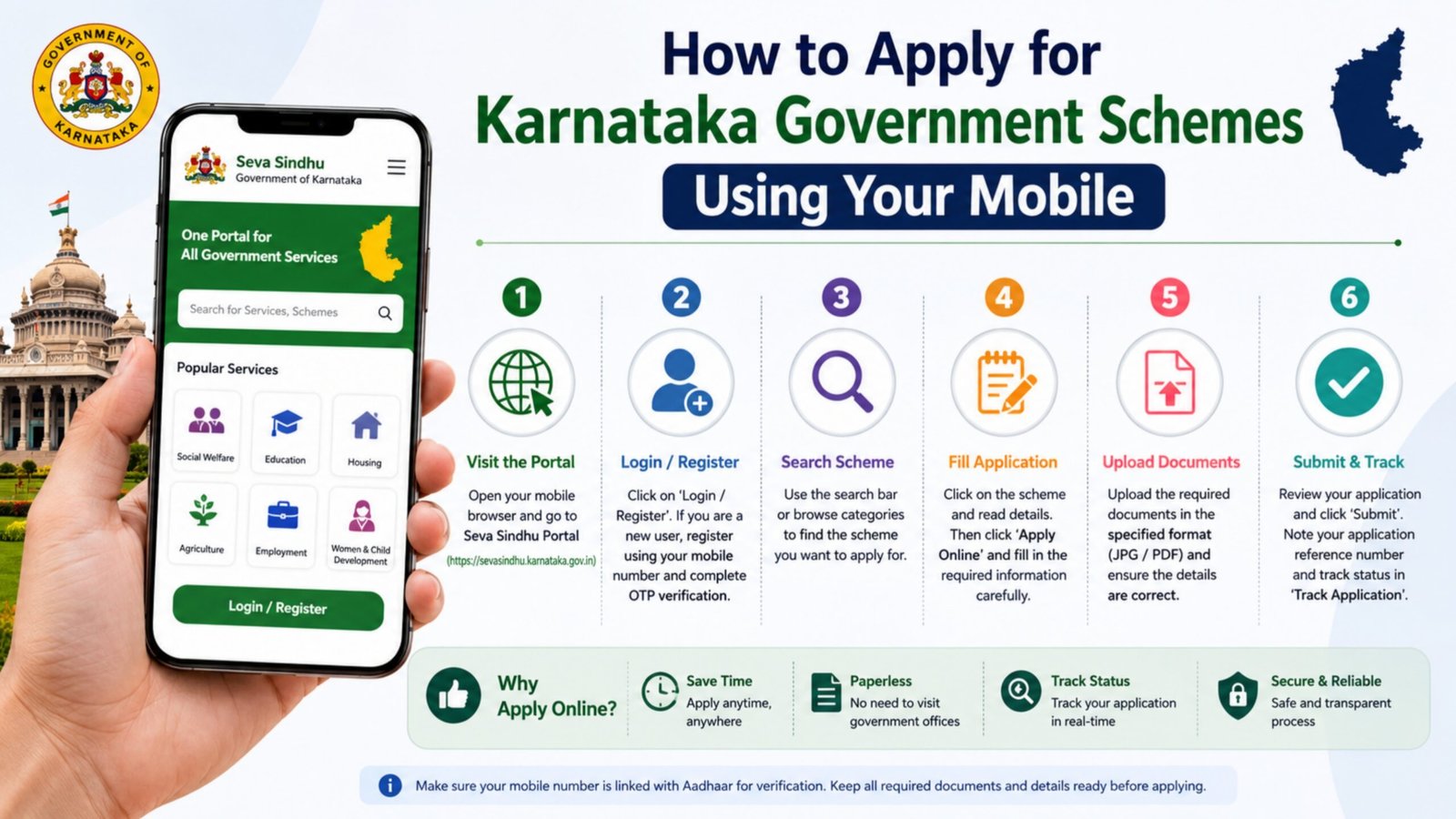
Step-by-Step Process to Get MR in Mobile
Step 1: Open Official Portal
Open your mobile browser and visit the Bhoomi Online website.
Step 2: Select “View Mutation Status”
On the homepage, select the option called “Mutation Status” or “View MR Status.”
Step 3: Enter Required Details
Fill in:
- District
- Taluk
- Hobli
- Village
- Survey Number
- Hissa Number (if applicable)
Step 4: Submit Details
Click on “Fetch Details” or “Get Data.”
Step 5: View MR Record
Your Land Mutation Register details will appear on the screen. You can:
- Check owner name
- View mutation number
- See mutation order date
- Verify status (Approved / Pending)
Step 6: Download or Screenshot
You can download the PDF copy or take a screenshot for reference.
Required Information for MR Search
To check mutation online, keep these details ready:
- Survey Number
- Owner Name
- District and Taluk
- Registered Sale Deed details (if recently purchased)
Benefits of Checking Mutation Register Online
- Quick land ownership verification
- Transparency in property transactions
- Useful for bank loan approval
- Helps in RTC correction
- Prevents land fraud
Digital land services save time and reduce the need to visit Taluk offices.
How Long Does Mutation Take?
Normally, mutation approval takes 30–45 days after property registration. If delayed, you can contact your local Village Accountant or visit your Taluk Revenue Office.
Common Problems and Solutions
Problem: Mutation status not showing
Solution: Check correct survey number and village details.
Problem: Status showing pending
Solution: Visit Taluk office with sale deed copy.
Problem: Name not updated in RTC
Solution: Apply for RTC correction request online.
Important Tips for Landowners
- Always verify mutation after property registration.
- Keep your registered sale deed safe.
- Regularly check RTC and MR details online.
- Avoid middlemen and use only official government portals.
Conclusion
Getting your Land Mutation Register (MR) details on mobile in Karnataka is simple through the Bhoomi Online portal. By entering your survey and village details, you can instantly check ownership status, mutation number, and approval details. Digital land record access ensures transparency, security, and faster property verification.